
Remote Video Monitoring for Commercial & Industrial Properties in Ontario
September 22, 2026
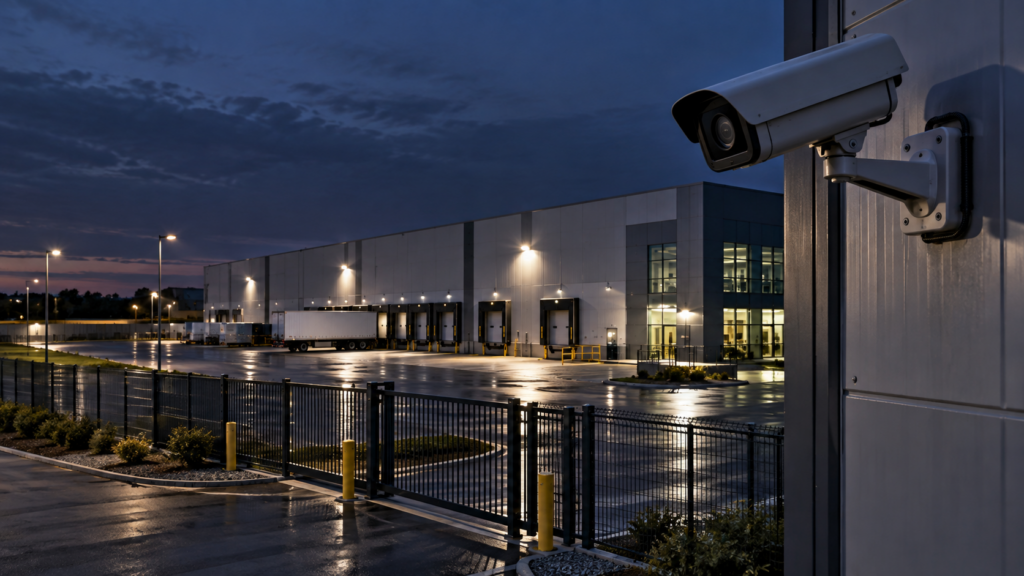
Commercial and industrial properties often have large footprints, multiple access points, parking areas, loading docks, fenced yards, warehouses and periods when few or no employees are onsite. Those characteristics can make active remote video monitoring particularly useful.
Remote video monitoring can add live operator verification and a defined response process to commercial and industrial CCTV systems. Instead of relying only on recorded footage after an incident, a monitoring operator can review configured events, use audio talk-down where appropriate, and follow the property’s approved escalation procedure.
This guide explains where remote monitoring fits, which areas usually provide the most value, how it works with existing CCTV, and when guards or mobile patrol should remain part of the security plan.
Quick Answer: Where Does Remote Video Monitoring Fit?
Remote video monitoring is commonly used to protect areas that are vulnerable after business hours or difficult to staff continuously, including:
- building entrances and exits;
- parking lots and parking structures;
- loading docks and shipping areas;
- warehouse doors;
- fenced yards and gates;
- equipment and material storage areas;
- perimeter zones;
- secondary access points;
- service corridors; and
- other restricted areas.
The strongest programs combine good camera coverage, reliable connectivity, live operator review and a clear response procedure.
Why Commercial and Industrial Sites Are Well Suited to Active Monitoring
Many commercial and industrial properties have predictable hours. Once employees, tenants, customers or contractors leave, activity in certain areas becomes easier to classify as expected or unexpected.
That creates a practical environment for event-based monitoring. For example, movement inside a fenced equipment yard at 2:00 a.m. may require a different response than activity at the same location during normal operating hours.
Remote monitoring can also help properties that are too large for one onsite guard to observe continuously. Cameras can extend visibility across multiple entrances, yards, loading areas and parking zones at the same time.
How the Monitoring Workflow Works
A typical remote monitoring workflow includes:
- Detection: a camera or analytics rule identifies activity in a monitored zone.
- Verification: a live operator reviews the camera feed and surrounding context.
- Intervention: where compatible speakers and procedures are in place, the operator may use live audio talk-down.
- Escalation: the operator follows the site’s approved instructions, which may include contacting a keyholder, onsite guard, mobile patrol or emergency services where appropriate.
- Documentation: the event and actions taken are recorded for client follow-up.
For a detailed explanation of this process, see What Happens When a Remote Security Operator Detects an Intruder?.
Loading Docks and Shipping Areas
Loading docks are often one of the highest-value monitoring zones because they combine vehicle access, doors, valuable goods and periods of low activity.
Remote monitoring can help verify whether after-hours activity is expected, such as an approved delivery, or requires intervention.
Useful camera views may include:
- the vehicle approach;
- dock doors;
- pedestrian access points;
- trailer or container areas;
- adjacent storage zones; and
- routes leading from the dock into the building.
If the operator cannot clearly see how a person or vehicle entered the area, additional cameras may be required.
Parking Lots and Exterior Areas
Large commercial parking lots can be difficult to observe from inside the building. Remote monitoring can provide oversight during overnight or low-occupancy periods.
Potential monitoring objectives include:
- unauthorized vehicles remaining onsite;
- people checking parked vehicles;
- loitering near entrances;
- activity around dumpsters or service areas;
- after-hours access to loading zones; and
- movement along the building perimeter.
The monitoring design should focus on specific risks rather than trying to treat every camera event as a security incident.
Warehouses and Distribution Centres
Warehouses often have multiple dock doors, large internal spaces and significant inventory. Depending on the operating schedule, remote monitoring can cover exterior access points, loading areas, parking areas and selected internal zones after hours.
For facilities with regular overnight logistics, monitoring rules should distinguish between approved staff and delivery activity versus suspicious access.
Identigate also provides security programs for warehouse and distribution centres, where remote monitoring can be combined with guards, patrols, CCTV and access control.
Industrial Yards and Equipment Storage
Industrial facilities may store vehicles, machinery, tools, metals, fuel or other high-value materials outdoors. These areas can be difficult to protect with building alarms alone.
Remote cameras can help monitor:
- fence lines;
- vehicle gates;
- equipment rows;
- fuel or utility areas;
- outdoor storage;
- service roads; and
- areas where unauthorized entry is most likely.
For broader industrial protection, see our Industrial Security Services Ontario page.
Can Existing Commercial CCTV Be Used?
Often, yes. Existing cameras may be reusable if they provide suitable image quality, camera placement, remote connectivity and compatibility with the monitoring platform.
A readiness assessment should review:
- camera models;
- NVR, DVR or video management system;
- night image quality;
- remote access;
- network reliability;
- blind spots;
- analytics compatibility; and
- speaker requirements.
Read Can Existing CCTV Cameras Be Used for Remote Video Monitoring? for the full technical checklist.
Remote Monitoring vs. Traditional CCTV
Traditional CCTV is primarily used to view or record video. Remote video monitoring adds an active response layer.
| Traditional CCTV | Remote Video Monitoring |
|---|---|
| Records footage | Supports live event review |
| Often reviewed after an incident | Can support action while activity is occurring |
| No operator response by default | Operator follows defined escalation procedures |
| Audio intervention may not be available | Talk-down can be added where supported |
| Useful for investigation | Useful for both intervention and investigation |
See Live Video Monitoring vs. Traditional CCTV for a more detailed comparison.
When Audio Talk-Down Helps
Live talk-down speakers allow an operator to address activity at the site when the system and operating procedure support it.
For example, an operator may warn someone that the property is under live monitoring and instruct them to leave a restricted area.
Effective talk-down requires:
- good speaker placement;
- clear camera coverage;
- reliable network communication;
- correct camera-to-speaker mapping; and
- a defined rule for when the operator should speak.
Speakers should be designed around actual monitored zones rather than installed simply to provide general site audio.
When Mobile Patrol Should Be Added
Remote monitoring can detect and verify activity, but some events require physical attendance.
Mobile patrol can provide that physical response layer for sites that do not have a guard present throughout the night.
A combined model may use:
- remote monitoring for detection and verification;
- audio talk-down for immediate intervention;
- mobile patrol for physical attendance; and
- incident reporting for management follow-up.
This can be useful for commercial properties, warehouses and industrial sites that do not require a permanent guard post but still need a defined response option.
When Onsite Security Guards Still Make Sense
Remote monitoring is not a replacement for every guard function.
Onsite security guards may still be appropriate when the property requires:
- continuous access control;
- employee or visitor interaction;
- physical patrols;
- contractor management;
- key control;
- emergency assistance;
- frequent physical intervention; or
- other duties that require a person onsite.
Some properties use a hybrid model in which onsite guards cover occupied hours while remote monitoring covers overnight or lower-risk periods.
See Remote Video Monitoring vs. Security Guards for a detailed comparison.
Commercial Properties With Multiple Buildings
Campuses, business parks and multi-building commercial sites can be particularly suited to centralized monitoring because one monitoring workflow can cover cameras across several structures or exterior zones.
However, the response plan should identify each building clearly. Operators need to know the exact camera location, access point, keyholder and escalation procedure for each area.
Our Commercial and Residential Properties page outlines other security services that can be layered into the program.
Industrial Security Camera Planning
Camera placement should be driven by what the operator needs to see during an event.
A strong industrial monitoring design usually prioritizes:
- vehicle entrances;
- pedestrian gates;
- shipping and receiving;
- critical equipment;
- high-value storage;
- building corners;
- fence approaches;
- utility areas; and
- routes between exterior areas and the building.
Our Security Camera & CCTV Installation service can assess existing coverage and recommend targeted upgrades.
Monitoring Hours Should Match the Site
Not every property needs monitoring 24 hours a day. The schedule should reflect when the site is most vulnerable and when activity is easiest to distinguish from normal operations.
Common schedules may include:
- overnight monitoring;
- weekends;
- statutory holidays;
- periods when the building is closed;
- specific high-risk zones monitored continuously; or
- a combination of different schedules by camera group.
A site with 24-hour shipping operations will require a different strategy from a commercial office building that closes at 7:00 p.m.
What Should the Escalation Plan Include?
Before monitoring begins, the client and security provider should define what happens when the operator verifies suspicious activity.
The procedure should identify:
- who the primary keyholder is;
- who the backup contact is;
- whether an onsite guard is available;
- whether mobile patrol can be dispatched;
- when audio talk-down should be used;
- which events require emergency escalation;
- special instructions for contractors or deliveries; and
- how incidents should be reported.
The clearer these instructions are, the more consistent the operator response can be.
How Much Does Commercial Remote Monitoring Cost?
Pricing depends on the number of cameras, monitoring hours, analytics requirements, speaker configuration, connectivity, site complexity and response services.
A property using existing compatible cameras may require less upfront equipment than a site that needs a full CCTV installation.
Because commercial and industrial sites vary widely, the most useful approach is a site-specific assessment rather than a generic price per camera.
For general pricing factors, see our Remote Video Monitoring Cost in Ontario guide.
Commercial & Industrial Remote Monitoring Checklist
Before implementing remote monitoring, review the following:
- Which areas have the highest security risk?
- Which hours require monitoring?
- Are existing cameras usable?
- Is nighttime image quality adequate?
- Are there blind spots?
- Is the network reliable?
- Where should audio speakers be installed?
- Who responds after a verified event?
- Is mobile patrol required?
- Are guards still needed for occupied periods?
- How will authorized overnight activity be identified?
- What incident reporting does management require?
Frequently Asked Questions
Can remote video monitoring protect an industrial yard?
Yes, where cameras provide suitable coverage and connectivity. Gate areas, fence lines, equipment storage and vehicle routes are common monitoring zones.
Can it work for a warehouse that operates overnight?
Yes, but monitoring rules must distinguish normal overnight logistics from suspicious activity. Camera zones and operating schedules should be configured around the facility’s actual workflow.
Do commercial properties need new cameras?
Not always. Existing cameras can often be reused if they are compatible and provide suitable image quality, coverage and remote access.
Can remote monitoring replace a night guard?
It may reduce the need for certain observation-focused guard hours at some properties, but guard requirements depend on the duties performed onsite. Access control, physical patrols and occupant-facing responsibilities may still require a guard.
Can mobile patrol respond to a remote monitoring event?
Yes, where patrol dispatch is included in the service plan and the escalation procedure authorizes it.
Is remote monitoring useful for multiple commercial buildings?
Yes. A centralized monitoring program can cover multiple buildings or zones if camera naming, site information and escalation procedures are clearly organized.
Build a Commercial or Industrial Monitoring Plan
Remote video monitoring works best when cameras, analytics, operator procedures and physical response are designed as one security system rather than separate products.
Identigate Security Services provides remote video monitoring, CCTV, mobile patrol, security guards, access control and integrated security programs across Ontario.
Request a commercial or industrial remote monitoring assessment and security proposal.
Explore More Security Resources
Review Identigate’s security services, systems, industry solutions and service areas for Toronto, the GTA and Ontario.
Need a Site-Specific Security Program?
Tell us about the property, operating environment and security requirements. Identigate can review the scope and recommend an appropriate combination of personnel, patrol, monitoring and technology.